Use the Google Admin Toolbox to troubleshoot issues you have with Google Workspace services.
Debug Browser issues
Browserinfo is a browser based debugging tool to capture client side information. You can look for obvious information that might impact users experience on the Internet.
Useragent is a tool that analyzes user agent string.
Verify DNS issues
Check MX is an easy to use DNS validation tool that looks for common MX record misconfigurations.
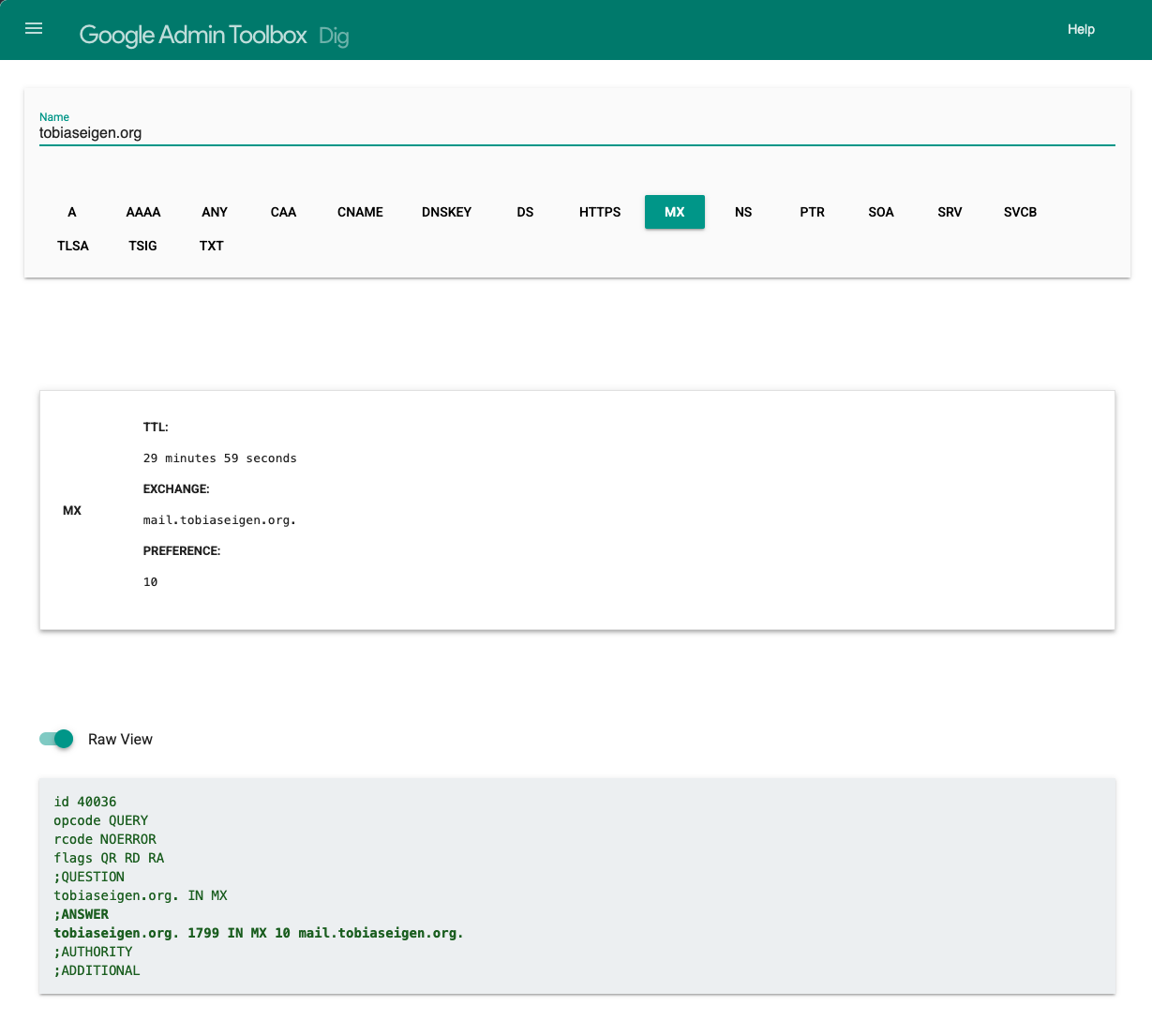
Dig can be used as a web-based equivalent of the Unix dig command.
Analyze HAR and log files
HAR Analyzer allows you to analyze captured HAR files.
Log Analyzer enables you you to analyze log files generated by Google products, including Chrome, Google Workspace Sync for Microsoft Outlook, and Google Cloud Directory Sync.
Log Analyzer 2 is a tool to open large log files generated by Google products, and diagnose common problems.
Investigate mail issues
Messageheader analyzes SMTP message headers, which help identify the root cause of delivery delays. You can detect misconfigured servers and mail-routing problems.
Other debugging tools
Additional Tools to help you debug Google Workspace services.
Encode/Decode provides you encoding and decoding functions that are helpful for debugging web-related problems.
Screen Recorder allows to record screen capture and audio.
I came across this toolbox when troubleshooting a kabissa.org subdomain that was not working. I found Dig (DNS lookup) to be especially useful - I like the unix dig command but find it hard to parse. So much easier in this interface. Compare the top with the “raw view” at bottom.
A post was merged into an existing topic: Bringing back the kabissalegacy.kb2.org discourse site